BOS (Business Operating System) chart template
BOS chart tool template download
The BOS Chart Pro tool pack from Adaptive Business Management Systems helps you to quickly and easily measure current process failures and set agreed targets to resolve issues. The BOS chart is also known as a QOS chart (Quality Operating System).
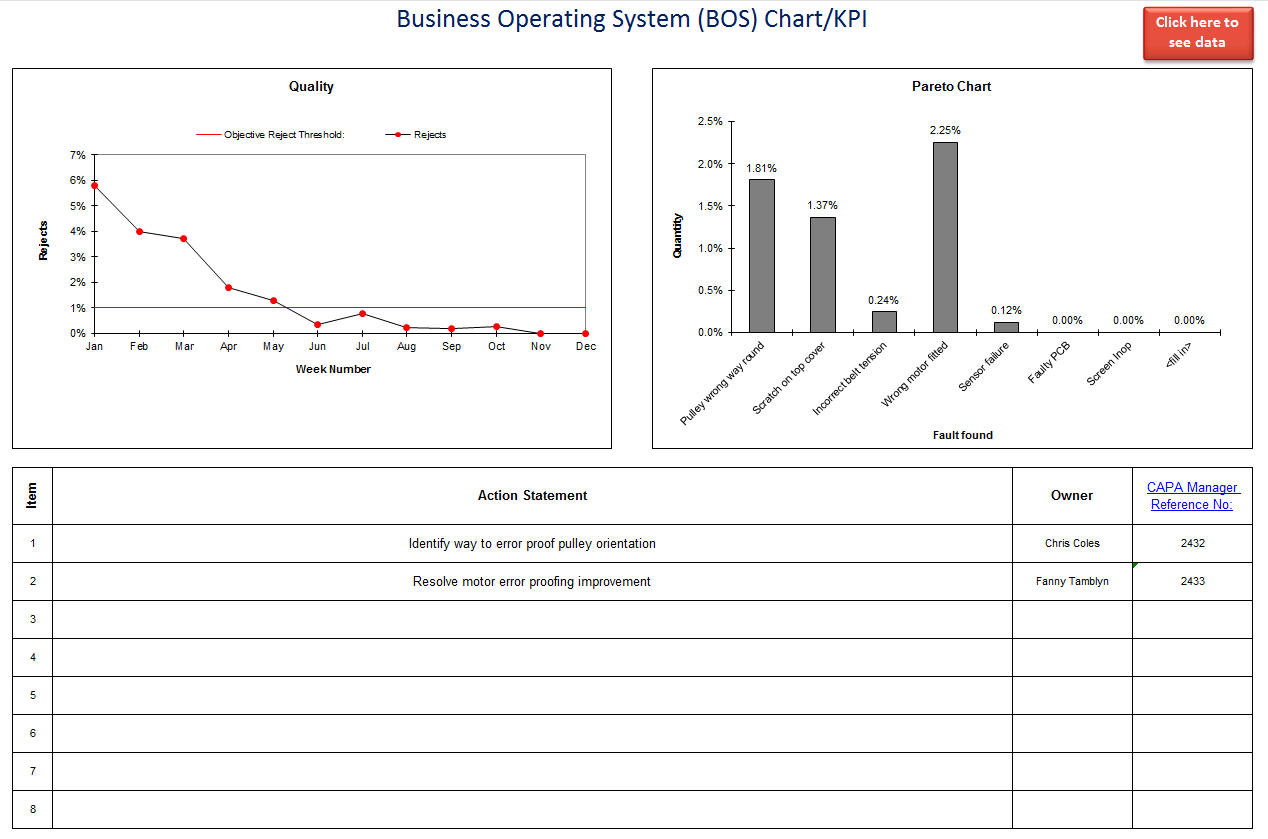
Manage quality performance with this BOS chart
Use this BOS chart tool to calculate and plot percentage quality over time, and automatically construct Pareto charts to help identify the most significant issues. BOS Chart Pro also makes a great quality KPI for your business and can easily be customized to meet your organization's needs.
Easy to follow pop-up instructions are included, as well as a step-by-step BOS chart user guide.
What's included?
Your downloaded ZIP file contains the following:
- BOS Chart Pro Microsoft Excel workbook (2003 upwards).
- Worked example.
- User guide.
Download the BOS QOS chart template now for just $19.95 USD.

Problems or questions? Just email us: templates@adaptivebms.com
Define the measure before entering BOS data
Open the example to see how the trend and Pareto views are built, then create a separate workbook for your process. Write down the numerator, denominator, data source and reporting frequency for each measure. Use the same definition every period so changes in the chart reflect performance rather than a change in counting rules.
Choose failure categories that people can apply consistently and avoid several labels for the same problem. Assign one person to maintain the data and agree when the team will review the chart, investigate adverse movement and follow up improvement actions.
Configure the chart for your operating review
Adapt metric names, targets, periods and defect categories to suit your business operating system or quality operating system. After changing the workbook, enter a small test dataset and confirm that percentages, trends and Pareto rankings agree with the source figures.
Check the story behind the chart
Before presenting results, verify the reporting period, totals and category assignments. Add a short explanation for significant movement and identify the action owner where performance is outside target. A BOS chart should help the team decide what to do next, not simply display last month's numbers.